愛工大・英会話授業に於いてのムードル使用
Using Moodle for English Conversation Classes at AIT
Charles I. Kelly and Lawrence E. Kelly † チャールズ・ケリー ローレンス・ケリー
Abstract: This paper explains how the English conversation teachers at Aichi Institute of Technology have been using the Internet to support our English classes. From 2004 to 2006 the English conversation class teachers used Web pages with email submission forms to do weekly assignments. From 2006 to 2008 a server was set up in Charles Kelly’s office and Moodle was installed. In 2008, Aichi Institute of Technology installed Moodle on the school server and established it as the campus-wide course management system. A guided tour showing screenshots gives a partial view of the 2008-2009 Moodle course.
1. Introduction
This article explains how the English conversation teachers at Aichi Institute of Technology have been using Moodle to support English classes since 2006. This article will explain how teachers began using the Internet in 2004 for homework submissions and how Moodle is currently used for textbook support and Web homework.
This article will explain some of the general advantages and features of Moodle, will give an overview of the Moodle courses and briefly explain some of the key features of these courses. There are multiple courses set up for the students to use.
Finally, this article will provide a guided tour of the English conversation Moodle courses. In this article we refer to the online aspect of our classes as “Moodle courses,” since the word “course” is what Moodle uses.
Moodle is an acronym for Modular Object-Oriented Dynamic Learning Environment and is an open source course management system. It allows educators to create online courses for their students.
†愛知工業大学 基礎教育センター(豊田市)
2. Using Internet Homework (2004-2006)
English conversation teachers at Aichi Institute of Technology have been assigning web-based homework to students since 2004. From 2004 to 2006 English conversation class teachers used web pages with email submission forms to do weekly assignments. A student would complete an activity, then fill out the form, click the button and this would be sent to the teacher. At this time some students had Internet access at home, but many students did not. As a result, they had to complete this homework on campus.
As technologies evolved and more students had Internet at home, it became possible to switch to a course management system. Aichi Institute of Technology had installed WebCT as the school’s course management system. However, our incoming freshmen students were not familiar with WebCT so rather than use this system we decided to use Moodle since it is an open source course management system.
Moodle helps educators blend traditional classroom pedagogies with various web-based technologies in a single application. Such online course management
systems create a common place for students to go to for classroom resources. Moodle also enhances student autonomy.
Students can:
• Access web-based media
• Access files downloaded by teachers (including textbook materials, quizzes and other supplementary learning tools.)
• Communicate/interact with teachers and other students on the Web
• Catch up on missed classes
• Download materials for portable learning devices such as iPods and MP3 players
Teachers can:
• Obtain information about students through profiles posted to the site
• Download lesson plans, handouts and other course materials
• Track and assess students’ progress • Assign blogs, forums, and other interactive activities for homework
• Disseminate information about the course not mentioned during class
• Post reminders about exams and term papers
4. Our First Years of Using Moodle (2006-2008)
Moodle was not installed on Aichi Institute of Technology’s server so in order to use Moodle with English Conversation class students it was necessary to set up and maintain a server. A server was set up in Charles Kelly’s office and Moodle was installed on it. This made it possible to begin developing online courses for our students. During these two years, we experimented with various features of Moodle in our Moodle courses. As more features were added we could expand the English Moodle courses for students. Also, during this time the teachers could expand their knowledge of Moodle.
With Moodle installed, all teachers could share in creating the materials and we could more easily manage the amount of data created by our students. It is beyond the scope of this article to talk about these two years other than that they were very valuable for our English curriculum.
5. 2008-2009-Using Moodle on the Aichi Institute of Technology Server
In 2008, Aichi Institute of Technology installed Moodle on the school server and established it as the campus-wide course management system. Also, by 2008 almost all the freshmen students had Internet access at home. These two things encouraged teachers to continue to develop and expand the content of the Aichi Institute of Technology English Moodle courses.
There are Moodle courses for both first semester and second semester. There are 15 Moodle lessons for each semester. Each Moodle lesson includes pronunciation practice, MP3 files for the textbook material, quizzes and external links to English study materials.
Some of the goals of the lessons are:
• To teach students to navigate the Web in English • To encourage student participation in blogs, discussion forums, wikis, and other interactive web media
• To introduce online learning resources such as dictionaries and streaming radio
• To utilize the Web to enhance student autonomy • To introduce study techniques for effectively using the Web
• To help students find the information they want in English when such information is not available in Japanese
The following screenshots provides a guided tour of the Moodle courses used with students of the English Conversation classes at Aichi Institute of Technology for the academic year 2008-2009.
6. How Students Use Our Moodle Courses
This is the page that was created for students to use as an “entry” page. It is set up to help students understand how to login to Moodle easily, bypassing the main cms.aitech.ac.jp web page which can be a little confusing for students at first.
Figure 1: English Study for AIT Students
On the right side of the page, there is a video that explains the steps needed to sign up for their English teacher’s course. Once inside the course, there are other videos that explain how to get started with the web homework.
On the left side of the page is each teacher’s name and a direct link to his “Web homework” course.
This page also includes a list of locations where students can use computers on campus.
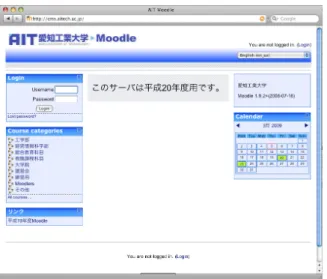
Figure 2: The main cms.aitech.ac.jp page
In the first lesson students are directed to the login page, bypassing this page. Later in the year, many students will enter our web homework course through this page.
Figure 3: The login page to which students are directed
This is the login page to which students are directed. It is less confusing than the main page, so students can easily login without making mistakes.
Figure 4: A student’s “My Moodle” page.
After a student has logged in and has registered for his course, he will see something similar to the page above.
Figure 5: The “My Moodle” page showing recent forum entries
As our course progresses during the year, the “My Moodle” page will show new forum entries since the student’s last visit. This makes it possible for students to monitor the activity in the Forums course without visiting that course.
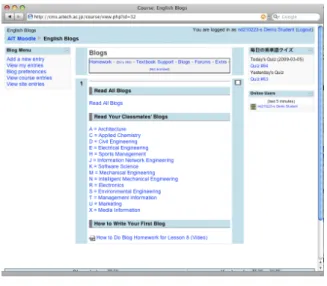
Figure 6: Blogs
To make it possible for all freshmen students to read each other’s blogs, we set up a meta course for blogs. In a meta course, the students from all the English teachers’ courses are merged into the “Blogs” course.
In the academic year 2008-2009, students did blogs in the first semester.
Figure 7: Forums
Similar to the “Blogs” course, there is a “Forums” course that is also set up as a meta course.
In the academic year 2008-2009, student did forums in the second semester.
In the academic year 2007-2008, teachers had students do both blogs and forums in the second semester. However, teachers found that monitoring both required a lot of additional time from the teacher, so it was decided to increase the number of forum entries required and discontinue using blogs during the second semester.
Figure 8: Student Profile
This “demo student” gives students an example of how to write their profiles. Students are required to upload their pictures and write about themselves. Students do this as part of their first web homework
profiles at any time. Students are encouraged to read each other’s profiles. This is not only a good way to learn about other students in their class, but it is also a way learn about other freshmen students at Aichi Institute of Technology.
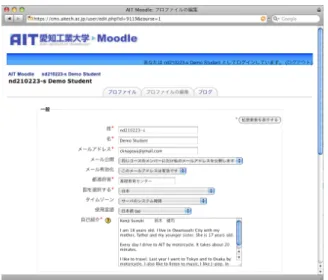
Figure 9: Profile editing
This is the profile entry page where students write or edit their profiles.
Figure 10: English Blogs
Students can view all blogs or can view the blogs by department.
Below are two pages. One page shows all the blogs and the other page shows only the mechanical engineering students’ blogs
Figure 11: Read All English Blogs
This is an example of English blogs. Along the right side of the screen the tag cloud for the blogs can be seen.
The student’s name and ID number is shown along with the time the blog was submitted.
Students can update or modify their own blog entries at any time.
Figure 12: Only Blogs by M Students
This shows the blog page for Mechanical Engineering students. At the end of the entry a tag that has been added by the student can be seen.
Figure 13: Blog Entry Form
This shows the blog entry form. Students can select tags from a menu or input their own.
Figure 14: Main Forums Page
Students write forums during second semester. They can click on one of the topics on this page to write a forum or they can start a new forum topic.
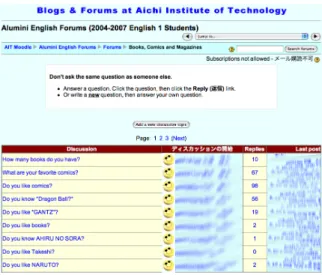
Figure 15: Example Forum
This is an example of a forum page. This page gives directions to the students. To maintain the students’ privacy, profile images have been replaced with the icon and their names have been blurred out. The number of replies to each forum is displayed along with the time of the last post and the name of the person who made the last post.
Figure 16: Extra English Practice
The main reason we have this course is because it is set up as a meta course that has all the English courses as child courses. In Moodle, this means that we can have one set of MP3 files and other files that are shared between courses, so we do not have to have duplicate files on the same web server.
Since we must have this course and all of our students enrolled in this course for the above
information in this course.
Figure 17: Web Homework and Textbook Support
This shows the online textbook support “course” within Moodle. Details of various types of activities are explained below.
Figure 18: Example of a “How To” Video
This is an example of one of our “How To” videos that help students learn how to use Moodle and our courses within Moodle.
Figure 19: The MP3 Audio Player
textbook either online or on an MP3 player such as an iPod.
Figure 20: Listen and Repeat Player
Students can practice pronunciation, intonation and rhythm using this “listen and repeat” player. They can control the number of repeats and the pauses between the repeats.
Figure 21: Vocabulary and Pronunciation
Students can practice pronunciation while also seeing the Japanese meaning and the English spelling.
Figure 22: Minimal Pair Practice Application
The textbook focuses on one minimal pair per week that are practiced in the classroom. Students can get additional practice online here.
Figure 23: Homework Answers
The answers to the previous week’s textbook homework are given online in audio files.
Figure 24: Audio-only Multiple-choice quiz
Many of the quizzes that we have our students do are in this format. The question is an audio file and the choices are also audio.
Figure 24: Quiz with pull-down choices
This kind of quiz is a multiple-choice quiz, but the choices are not seen until the student pulls down the select menu.
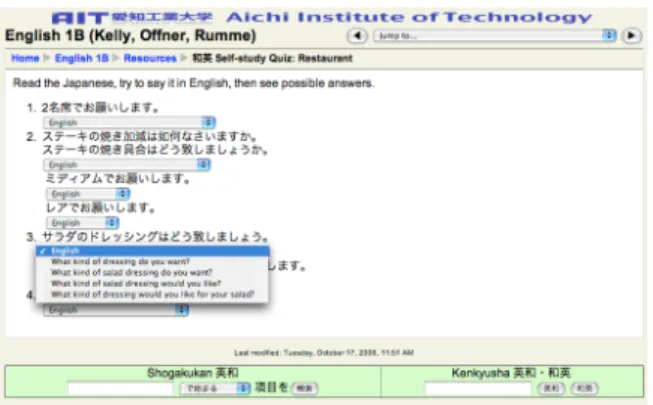
Figure 25: Self-study, non-graded quiz
Some of the quizzes are just to help students study and are not graded.
Aichi Institute of Technology students can access after graduation. This is necessary since cms.aitech.ac.jp is currently only available to registered students. By setting up a study page at http://aitstudy.com/ we can continue to provide English study opportunities for alumni of Aichi Institute of Technology. The Moodle login is at http://aitstudy.com/m.
7. Conclusion
This was the third year that Moodle has been used for textbook support and web homework at with
freshmen English 1 courses at AIT. Moodle enhances learner autonomy, creates vibrant learning
communities, integrating web-based technologies and culturally relevant themes into the classroom and learning experience. • a4esl.org/j • aitstudy.com • cms.aitech.ac.jp • moodle.org • study.aitech.ac.jp • www.manythings.org/ait • www.manythings.org/j • www.manythings.org/japanese • www.manythings.org/moodle (受理 平成 21 年 3 月 19 日)